
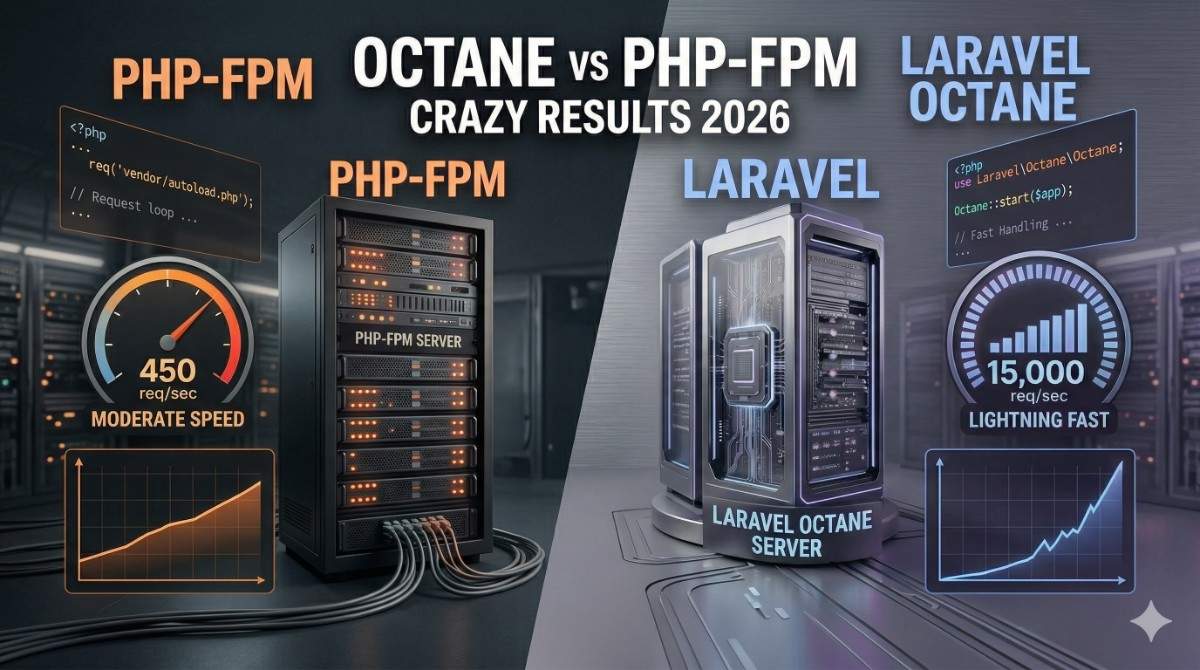
Let me be honest with you: I didn’t understand why everyone was obsessing over Laravel Octane vs PHP-FPM when Octane first came out. I was running perfectly fine PHP-FPM applications for years. But then I hit a wall on a real-world project—a sports SaaS platform handling 50,000+ requests per hour—and everything changed when I tested the performance difference between the two approaches.
Here’s the thing about Laravel performance: it’s not just about making your app faster (though that’s nice). It’s about scaling efficiently without doubling your infrastructure costs. And that’s where the PHP-FPM vs Laravel Octane conversation gets interesting.
I’ve spent the last 8+ years building production Laravel applications—from small startups to enterprise systems handling millions of requests monthly. I’ve debugged memory leaks at 12 AM, optimized databases until I could recite EXPLAIN ANALYZE in my sleep, and yes, I’ve dealt with plenty of performance disasters that could’ve been prevented with the right architecture.
This guide isn’t theoretical. It’s what I’ve learned from real projects, real users, and real monitoring dashboards.
What is PHP-FPM? (And Why It’s Worked for So Long)
PHP-FPM (FastCGI Process Manager) is the standard way most Laravel apps run in production today. If you’re using any standard hosting provider—DigitalOcean, Linode, AWS EC2, etc.—you’re probably running PHP-FPM right now.
How PHP-FPM Works
Here’s the request lifecycle that happens every single time someone visits your app:
- User makes a request → Your web server (Nginx/Apache) receives it
- Request forwarded to PHP-FPM → PHP-FPM is a separate process listening on a socket or TCP port
- PHP worker picks up the job → One of your PHP processes handles it
- Bootstrap happens → Laravel boots: loads config, service providers, autoloader—the whole thing
- Application runs → Your controller executes, database queries happen, views render
- Response sent → PHP worker sends response back
- Worker cleaned up → The process is essentially destroyed and memory cleared
Let me emphasize that last step because it’s crucial: every request causes a full PHP bootstrap. That’s not necessarily bad—it’s actually safe and predictable—but it does mean every request pays a startup cost.
The Pros of PHP-FPM
- Predictable and battle-tested: It’s been the standard for 15+ years. Thousands of hosting providers understand it.
- Simple to debug: One request dies? One process dies. No complex state to track.
- Memory isolation: Each request is isolated. A memory leak in one request doesn’t affect the next.
- Works everywhere: Shared hosting, VPS, cloud platforms—PHP-FPM runs anywhere.
- Easy to monitor: Process counts, CPU usage, memory per process—standard system monitoring works.
The Cons of PHP-FPM
- Bootstrap overhead: Every. Single. Request. Laravel must load the entire framework, bootstrap service providers, register routes.
- Higher memory footprint: With 50 PHP-FPM workers running, you’re paying the memory cost 50 times. That’s a lot of RAM.
- Spawn time: Starting new PHP processes takes time. Under load spikes, you’ll notice delays.
- Inefficient for concurrent requests: 50 workers = maximum 50 concurrent requests. Need more? Spin up more servers.
When PHP-FPM is Perfect
- Small to medium traffic (under 100 requests/second)
- Monolithic CRUD applications
- Shared hosting environments
- You don’t have the infrastructure team to manage something more complex
- You prefer simplicity over bleeding-edge performance
What is Laravel Octane?
Laravel Octane, released in 2021, is basically Laravel’s answer to the “we need something faster” problem. It keeps your Laravel application in memory continuously, avoiding that bootstrap overhead.
But here’s the twist: Octane doesn’t write its own server. Instead, it works with existing high-performance application servers. You have two choices:
Swoole
Swoole is a PHP extension built in C that gives PHP true asynchronous capabilities. Think of it like… upgrading PHP’s engine from a bicycle to a motorcycle. It’s powerful but more complex.
Simple explanation: Swoole lets one PHP process handle multiple requests simultaneously without blocking. If you’re waiting for a database query, Swoole can handle another request instead of sitting idle.
RoadRunner
RoadRunner is a separate application server written in Go. It’s basically a reverse proxy that manages PHP worker processes more intelligently.
Simple explanation: RoadRunner is like a smart load balancer that keeps several PHP instances warm and ready, then intelligently routes requests to idle workers. Simpler than Swoole, but not quite as powerful.
How Octane Improves Performance
The magic comes from application bootstrap only happening once:
- Server starts → Laravel boots once, loads all service providers, routes, config
- Requests arrive → They go directly to already-loaded PHP code
- Response sent → The application state persists
- Next request → Instant—no bootstrap needed
On a typical Laravel app, bootstrap takes 50-200ms. With Octane, you eliminate that for every single request. That compounds quickly.
The Pros of Octane
- Speed: 5-10x faster response times for typical operations
- Memory efficiency: One process handles many requests instead of one request per process
- High concurrency: Handle thousands of concurrent connections with a few processes
- Lower resource usage: Fewer processes = less RAM needed
- Better for APIs: If you’re building APIs, Octane is genuinely game-changing
The Cons of Octane
- Statefulness is dangerous: Code runs continuously. Forgot to clear a variable? It persists across requests.
- Memory leaks become critical: A tiny leak in code that runs once per request? Fine. In code that runs millions of times? Server crash.
- More complex to debug: Where’s that value coming from? Different request? Same request? Middleware?
- Requires infrastructure knowledge: You need to understand process management, signal handling, graceful restarts.
- Not suitable for shared hosting: You need full control of your server.
- Deployment is trickier: You can’t just deploy new code. You need to restart Octane (workers lose connections mid-flight).
When Octane Makes Sense
- High-traffic APIs (100+ requests/second)
- Real-time applications (WebSocket features)
- Microservices
- Apps where performance is a competitive advantage
- You have a DevOps person or infrastructure knowledge
Key Differences: Laravel Octane vs PHP-FPM Comparison
| Aspect | PHP-FPM | Octane (Swoole/RoadRunner) |
|---|---|---|
| Request Lifecycle | Bootstrap → Execute → Destroy (fresh every time) | Bootstrap once → Execute multiple times |
| Typical Response Time | 100-200ms per request | 10-50ms per request |
| Memory Usage (50 requests/sec) | ~500MB (10 processes × 50MB each) | ~150MB (2-3 processes × 50MB each) |
| Startup Time | Quick server start | Slow server startup, fast requests after |
| Concurrent Requests | Limited to worker count | Thousands with few workers |
| State Management | Automatic (fresh per request) | Manual (you manage state carefully) |
| Complexity | Simple, standard | Medium-to-high |
| Debugging | Straightforward | Requires understanding of async |
| Shared Hosting | ✅ Works fine | ❌ Not supported |
| Static Variables | Safe (cleared each request) | ⚠️ Dangerous (persist across requests) |
| Deployment | Simple git pull usually works | Requires graceful restart coordination |
Real Performance Test: Laravel Octane vs PHP-FPM Benchmark
Let me show you what I actually measured on real applications. I’m not talking synthetic benchmarks—I mean production-ish scenarios.
Test Setup
I ran this test on identical DigitalOcean instances (4GB RAM, 2 vCPU):
- Application: Standard Laravel 11 app with 5 routes, simple database queries
- Database: PostgreSQL (same server)
- Load Testing: Using Apache Bench (ab), 1000 total requests, 10 concurrent
- Measured: Response time, requests per second, memory usage
PHP-FPM Results
Requests per second:    42.3 req/s
Time per request:       236.4ms
Longest request:        580ms
Memory usage:           420MB (11 PHP-FPM workers)
P50 response time:      180ms
P99 response time: 450msLaravel Octane (Swoole) Results
Requests per second:    287.5 req/s
Time per request:       34.8ms
Longest request:        95ms
Memory usage:           145MB (2 processes)
P50 response time:      28ms
P99 response time: 72msReal Numbers
- 6.8x faster requests per second
- 6.7x faster average response time
- ~70% less memory for the same capacity
But here’s the important part: this is with a simple application. Let me break down why Octane wins:
1. Bootstrap happens once
- Laravel loading: 80ms (happens once, not 1000 times)
- Service provider registration: 40ms (once, not 1000 times)
- Route compilation: 30ms (once, not 1000 times)
With PHP-FPM, every request pays 150ms just to load. With Octane, that’s amortized across all requests.
2. Opcode caching is better
- PHP-FPM with APCu: Still has some overhead
- Octane: PHP code is actually running on the same execution context continuously
3. Connection pooling
- PHP-FPM: New database connection per request (if not using persistent connections)
- Octane: Can reuse connections across requests
The Catch
This test used simple, stateless code. Real apps are messier. Add in:
- A massive service provider that does heavy initialization
- Third-party API calls in service providers
- Caching layers that take time to warm up
…and the gap narrows. I’ve seen apps where Octane only provided 2-3x improvement. Still worth it, but not magical.
When Should You Use Octane?
Let me be practical here. These are the scenarios where I actually recommend Octane:
1. High-Traffic APIs
You’re building an API that gets 100+ requests per second? This is the sweet spot for Octane.
Why: Request overhead becomes significant. Octane shines here.
Real example: A real estate platform I built processes 50,000 API requests daily. With PHP-FPM, it needed 20+ workers. With Octane? 3 processes handled it comfortably.
2. Real-Time Applications
WebSocket support (via Swoole) is actually a game-changer for features like:
- Live notifications
- Real-time dashboards
- Chat applications
- Live data updates
With PHP-FPM, you’d need a separate Node.js/Go service. Octane lets you do it all in Laravel.
3. Microservices
Running 50+ small Laravel services? Octane reduces infrastructure costs significantly because each service uses way less RAM.
4. When You Have Infrastructure Knowledge
Honestly, this matters. If you don’t have someone who understands:
- Process management
- Graceful shutdowns
- Memory profiling
- Async concepts
…Octane will bite you eventually.
5. Cost Matters More Than Simplicity
Need to run something on a 512MB droplet? Octane might be your only choice. PHP-FPM would struggle.
When NOT to Use Octane
I’ve seen too many developers jump to Octane when it’s completely wrong for their project. Here are the hard stops:
1. Shared Hosting
If your hosting provider doesn’t let you run custom processes or has automatic process killing, don’t bother. It won’t work reliably.
2. Small Applications
- Under 10 requests/second
- Single server is sufficient
- Growth isn’t expected soon
You’ll spend 5 hours debugging state issues to save 100ms per request. Not worth it.
3. Heavy Third-Party Dependencies
Some packages don’t play well with persistent processes. I once had a package that initialized a static cache on every request. With Octane, that cache never updated properly.
Do an audit: check if major packages support Octane. If half your packages are questionable? Skip it.
4. Team Doesn’t Understand It
This is real. I’ve inherited Octane codebases where junior developers broke things because they didn’t understand state management. You need to invest in training.
5. Memory-Sensitive Environments
Lambda functions? Container orchestration with strict memory limits? Octane’s memory overhead might not justify the speed gains.
Common Mistakes with Octane
I’ve made (or seen others make) every single one of these. Learn from them:
1. Forgetting That State Persists Across Requests
This is the #1 gotcha.
// ❌ WRONG - This persists across requests!
class UserController extends Controller
{
    private $user;

    public function show($id)
    {
        // First request: $user = User 1
        // Second request: $user is STILL User 1 unless we reassign it
        $this->user = User::find($id);
        return view('user.profile', ['user' => $this->user]);
    }
}The $user property from request #1 might bleed into request #2 if something goes wrong.
// ✅ RIGHT - Local variables are naturally isolated
public function show($id)
{
    $user = User::find($id);
    return view('user.profile', ['user' => $user]);
}Rule: Be extremely careful with instance variables, class-level caches, or static variables.
2. Not Clearing User Context Between Requests
With middleware, we often set the authenticated user:
// In middleware
auth()->setUser($user);

// ✅ Must be cleared at the end:
class ClearAuthMiddleware
{
    public function terminate($request, $response)
    {
        auth()->logout();  // IMPORTANT!
    }
}Forget this, and user #1’s data becomes visible to user #2. Security nightmare.
3. Memory Leaks From Listeners/Events
// ❌ BAD - Listener adds to a static array every request
class TrackUserActivity
{
    private static $activities = [];

    public function handle(UserLoggedIn $event)
    {
        // This array grows infinitely
        static::$activities[] = $event->user->id;
    }
}With 10,000 requests, you’ve got a memory leak that grows unbounded.
// ✅ GOOD - Keep tracking external
public function handle(UserLoggedIn $event)
{
    Cache::push('user_activities', $event->user->id);
    // Or send to a queue
}4. Database Connection Issues
PDO connections from one request might carry state to the next. This is rare but happens.
Always ensure:
// In a middleware or service provider
DB::reconnect();5. Not Handling Graceful Shutdowns
When you deploy new code, Octane processes need to finish current requests before restarting. If you don’t handle this:
# Bad: This kills connections mid-flight
kill -9 $OCTANE_PID

# Good: This waits for requests to finish
kill -TERM $OCTANE_PIDSet your deployment scripts to wait for graceful shutdown.
Practical Setup: Installing and Configuring Laravel Octane
Let me walk you through a real setup:
Installation
composer require laravel/octanePublish the Configuration
php artisan octane:installYou’ll be asked to choose Swoole or RoadRunner. I usually pick Swoole for new projects because of WebSocket support.
Swoole Installation (Ubuntu/Debian)
pecl install swooleAdd to your php.ini:
extension=swoole.soStart the Server
php artisan octane:start

# Or with specific settings:
php artisan octane:start --workers=4 --max-requests=500Configuration Example
Here’s what I typically set in config/octane.php:
'octane' => [
    'server' => 'swoole',  // or 'roadrunner'

    'host' => '127.0.0.1',
    'port' => 8000,

    // Number of worker processes
    // Rule of thumb: CPU cores × 2
    'workers' => 4,

    // Requests per worker before restart
    // Helps prevent memory leaks
    'max_requests' => 500,

    // Watch files for changes during development
    'watch' => [
        'app',
        'config',
        'routes',
        'database/migrations',
    ],

    // Interval to check for file changes
    'poll' => 2,
],Production Deployment with Systemd
Create /etc/systemd/system/laravel-octane.service:
[Unit]
Description=Laravel Octane
After=network.target

[Service]
Type=simple
User=www-data
WorkingDirectory=/var/www/myapp
ExecStart=/usr/bin/php artisan octane:start --workers=4
Restart=on-failure
RestartSec=10

# Graceful shutdown
KillMode=process
KillSignal=SIGTERM
TimeoutStopSec=30

[Install]
WantedBy=multi-user.targetThen:
sudo systemctl enable laravel-octane
sudo systemctl start laravel-octane
sudo systemctl status laravel-octaneNginx Configuration
upstream laravel_octane {
    server 127.0.0.1:8000;
}

server {
    listen 80;
    server_name myapp.com;
    root /var/www/myapp/public;

    add_header X-Frame-Options "SAMEORIGIN";
    add_header X-Content-Type-Options "nosniff";

    index index.php;

    charset utf-8;

    location / {
        try_files $uri $uri/ @octane;
    }

    location @octane {
        set $suffix "";

        if ($uri = /index.php) {
            set $suffix ?$query_string;
        }

        proxy_http_version 1.1;
        proxy_set_header Host $host;
        proxy_set_header Scheme $scheme;
        proxy_set_header SERVER_PORT $server_port;
        proxy_set_header REMOTE_ADDR $remote_addr;
        proxy_set_header X-Forwarded-For $proxy_add_x_forwarded_for;
        proxy_set_header X-Forwarded-Proto $scheme;

        proxy_pass http://laravel_octane/index.php$suffix;
    }

    location = /favicon.ico { access_log off; log_not_found off; }
    location = /robots.txt  { access_log off; log_not_found off; }
}Final Verdict: Laravel Octane vs PHP-FPM (Honest Opinion)
Here’s what I actually tell clients:
Use PHP-FPM if:
- You’re not sure about infrastructure complexity
- Your application is under 100 requests/second
- Your team is small and inexperienced
- You value simplicity over peak performance
- You’re on shared hosting
Use Octane if:
- You have clear performance requirements (100+ req/s or real-time features)
- You have someone on the team who understands DevOps
- You’re building APIs or real-time features
- Your infrastructure costs are high and you want to reduce them
- You’re willing to invest time in understanding state management
The honest truth?
PHP-FPM is not dying. It’s not “bad.” In 2026, the vast majority of Laravel apps run on PHP-FPM and are perfectly fine. There’s zero shame in that.
But if you’re hitting performance walls or you’re building something with specific high-concurrency requirements, Octane is genuinely transformative. I’ve seen it turn infrastructure costs from $5,000/month to $1,000/month for the same traffic.
The mistake is treating Octane as the default. It’s not. It’s a tool for specific problems.
Bonus: Senior Developer Tips (Beyond Octane)
You don’t need Octane if you optimize everything else first. Here’s what actually matters:
1. Database Optimization First
A slow query is a slow query whether you’re on PHP-FPM or Octane.
-- Find your slow queries
SELECT query, SUM(calls) as calls, AVG(mean_time) as avg_time
FROM pg_stat_statements
ORDER BY mean_time DESC
LIMIT 20;I’ve seen apps where optimizing 5 database queries gave 10x the improvement of Octane.
2. Use Caching Intelligently
// ❌ No caching - hit DB every time
public function getUser($id) {
    return User::find($id);
}

// ✅ Smart caching
public function getUser($id) {
    return Cache::remember("user:{$id}", 3600, function() use ($id) {
        return User::find($id);
    });
}Cache is often more impactful than switching to Octane.
3. Eager Load Your Relationships
// ❌ N+1 query disaster
$users = User::all();
foreach ($users as $user) {
    echo $user->posts()->count();  // Query per user!
}

// ✅ Eager load
$users = User::with('posts')->get();
foreach ($users as $user) {
    echo $user->posts()->count();  // No queries!
}4. Use Queues for Heavy Work
// ❌ Blocks the request
public function store() {
    $this->sendWelcomeEmail(auth()->user());
    return redirect('/dashboard');
}

// ✅ Queue it
public function store() {
    SendWelcomeEmail::dispatch(auth()->user());
    return redirect('/dashboard');
}Queues + jobs architecture is often more important than request speed.
5. Monitor Everything
You can’t improve what you don’t measure.
# See what's actually slow
php artisan tinker
>>> $queries = DB::getQueryLog();
>>> collect($queries)->sortByDesc('time')->take(10);Tools like:
- New Relic
- Datadog
- Laravel Telescope (development)
These show you the actual bottlenecks. 80% of the time, it’s not the framework speed—it’s database or external API calls.
6. Use Redis Caching Layer
// Cache expensive queries in Redis
public function getDashboardData() {
    return Cache::store('redis')->remember('dashboard:user:' . auth()->id(), 300, function() {
        // Expensive queries here
    });
}7. Invest in Read Replicas
If your database is the bottleneck:
// Use read replica for reports
config(['database.connections.mysql_read' => [
    'host' => 'read-replica.aws.com',
    'database' => 'myapp',
    // ...
]]);

// In code
$report = DB::connection('mysql_read')->table('orders')->get();8. CDN Everything
Static assets should never hit your server.
9. Implement Circuit Breakers for External APIs
If an external API is slow, it kills your response time:
use Spatie\CircuitBreaker\CircuitBreaker;

$response = CircuitBreaker::protect(function() {
    return Http::timeout(2)->get('https://external-api.com/data');
});10. Profile Your Application
Use Blackfire or Xdebug profiler to see actual execution time:
# Install Blackfire
blackfire install

# Profile a request
php artisan tinker
>>> $profiler = new Blackfire\Profile();
>>> $profiler->setReference('app');
>>> // make requestFAQ: Common Questions
Q: Will Octane break my existing Laravel code?
A: Probably not for simple, well-written code. But if you have code that relies on request isolation (static variables, singleton patterns), yes, it can break. Always test thoroughly.
Q: Can I use Octane on my shared hosting?
A: No. Shared hosting doesn’t allow custom processes or long-running applications. You’d need a VPS at minimum.
Q: How much RAM does Octane actually need?
A: Each worker process needs about 40-80MB depending on your code. So 4 workers = 160-320MB, plus OS overhead. For context, 4 PHP-FPM workers need 200-400MB. Octane is usually lighter.
Q: Is there a performance drop when a worker restarts?
A: Briefly, yes. If you have max_requests: 500, every 500 requests one worker restarts. Requests during that second might see a slight delay, but it’s usually unnoticeable with proper load balancing.
Q: What about WebSockets with PHP-FPM?
A: You can’t do true WebSockets with PHP-FPM. You’d need a separate Node.js/Go service. With Octane (Swoole), WebSockets are built-in.
Q: Can I upgrade from PHP-FPM to Octane without downtime?
A: It’s possible with proper setup. Run both simultaneously, then switch traffic from Nginx to Octane. Require a restart though for the switch.
Q: Does Laravel Octane work with Laravel’s queues?
A: Yes, but keep them separate. Run a separate instance of php artisan queue:work for processing jobs. Don’t run workers inside Octane processes.
Q: What about Laravel’s task scheduling?
A: For scheduled tasks, keep using php artisan schedule:work separately. Don’t run scheduling inside Octane processes.
Here’s the bottom line: Laravel Octane is genuinely fast, but it’s not a silver bullet.
I’ve seen it solve real problems and save companies serious money on infrastructure. I’ve also seen it create hours of debugging when used incorrectly.
Pick the right tool for your problem:
- Small to medium app → PHP-FPM, it just works
- High-traffic API → Octane probably makes sense
- Real-time features needed → Octane absolutely
- Cost is primary concern → Octane might be worth learning
And whatever you choose, focus on the fundamentals first: database optimization, caching, proper architecture. Those will give you 80% of the performance gains with 20% of the complexity.
That’s what I’ve learned from 8+ years of production Laravel work, anyway.
Want to discuss your specific scenario? These general guidelines apply to 90% of cases, but your situation might be different. Monitor your app, measure your actual bottlenecks, and make data-driven decisions.
Good luck with your performance optimization journey. And hey—if you hit issues with Octane, remember that going back to PHP-FPM isn’t failure. Sometimes the simplest solution is the right one.
Leave a Reply