
The Problem Every Laravel Developer Knows
You’ve built a solid Laravel app. Routes are clean, Eloquent queries are indexed, your controllers are lean. And then traffic spikes — and suddenly you’re watching response times climb to 300ms, 500ms, a full second.
We’ve all been there. You start profiling, you add Redis caching, you throw more PHP-FPM workers at it — and you squeeze some improvements out. But there’s a ceiling. A hard ceiling built into how traditional PHP applications work.
Here’s the thing most tutorials don’t talk about: every single HTTP request to a traditional PHP application boots your entire Laravel application from scratch. Service providers register. Configs load. Facades bind. Middleware initializes. All of it, from zero, for every request.
For low-traffic apps, this is totally fine. But when you’re handling thousands of requests per minute? That cold-boot overhead adds up fast. That’s the problem Laravel Octane was built to solve.
What Is Laravel Octane?
Laravel Octane is an official Laravel package that supercharges your application’s performance by serving it on long-lived, high-performance application servers. It was released in 2021 by Taylor Otwell and has since become one of the most impactful performance tools in the Laravel ecosystem.
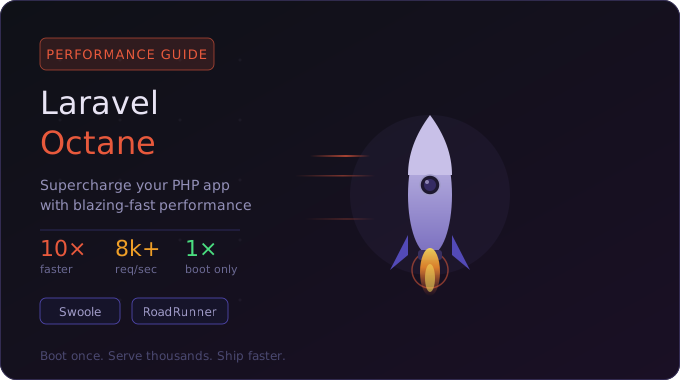
At its core, Octane boots your Laravel application once and keeps it alive in memory. Then it serves hundreds or thousands of requests using that single booted instance — no cold starts, no repeated bootstrapping, no wasted cycles reinitializing things that haven’t changed.
“Boot once, serve thousands. That’s the Octane philosophy — and once you experience it, going back feels like driving a car with the handbrake on.”
It works by integrating with powerful application servers like Swoole and RoadRunner, which handle concurrent requests using worker processes that stay alive indefinitely — at least until you tell them to restart.
Why Was Laravel Octane Created?
PHP was designed as a “shared nothing” language. Each request gets its own isolated process, and when it’s done, everything is torn down. That model works brilliantly for simple scripts and small apps, but it comes with a real performance tax at scale.
Frameworks like Node.js (Express), Go, and Python (FastAPI) had a significant advantage here — they keep the application alive between requests. Laravel was leaving serious performance on the table by not having a similar model.
Swoole had existed for years and some developers were using it with Laravel through community packages, but the integration was rough around the edges. Taylor Otwell decided to build an official, first-class solution that made it dead simple to switch to a persistent-process model without rewriting your app.
Laravel Octane was that solution — a clean abstraction layer that handles Swoole and RoadRunner, resets application state between requests properly, and integrates seamlessly with the rest of the Laravel ecosystem.
How Laravel Octane Works Internally
Application Booting Once
When you start Octane, it boots your Laravel application a single time. All service providers run, the IoC container gets built, configs are loaded — the whole nine yards. This bootstrapped application is then stored in memory and reused across all incoming requests.
This is the key insight that makes everything faster. If your app takes 50ms to boot and you’re handling 1,000 requests, traditional PHP wastes 50 seconds of CPU time just on bootstrapping. Octane wastes 50ms total.
Worker Processes
Octane spins up multiple worker processes (you configure how many). Each worker holds its own copy of the booted application and can handle requests concurrently. By default, it creates workers based on your CPU core count, though you can tune this manually.
These workers are persistent — they run until you explicitly stop or reload Octane. When you deploy new code, you send a reload signal and Octane gracefully boots fresh workers with your updated code before killing the old ones.
Request Lifecycle
Here’s where Octane does something subtle but critical: it clones and resets the application state between requests. This prevents memory leaks and state bleed from one request affecting another.
Octane flushes bound instances, resolves fresh copies of your request-scoped services, and resets any state that shouldn’t persist. It’s essentially saying: “boot once, but act fresh for each request.”
⚠️ Important: Any static properties or class-level state you set during a request will persist to the next request unless you explicitly reset it. This is the #1 source of subtle bugs when moving to Octane — more on this in the Common Mistakes section.
Supported Servers: Swoole vs RoadRunner
Laravel Octane currently supports two high-performance application servers. Both achieve the same goal — keeping your app alive in memory — but they work differently under the hood.
Swoole
A PHP extension written in C++ that adds true coroutine-based async capabilities to PHP. It’s the faster of the two options for raw throughput.
- True coroutines & async I/O
- Requires a PHP extension install
- Highest raw performance
- Built-in connection pooling
RoadRunner
A high-performance PHP application server written in Go. It communicates with your PHP app via a binary protocol — no PHP extension needed.
- Written in Go — very stable
- No PHP extension required
- Easier to set up in Docker
- Good ecosystem (metrics, plugins)
My personal take: Use Swoole if you have control over your server environment and want maximum performance. Use RoadRunner if you’re in a containerized environment where installing PHP extensions is a pain or a security concern.
Key Features of Laravel Octane
Persistent Application: Boot once, serve indefinitely — the core feature that makes everything else possible.
Concurrent Tasks: Octane exposes a concurrently() helper to run multiple operations at the same time using Swoole coroutines.
Octane Cache: A blazing-fast in-memory cache driver backed by Swoole’s shared-memory table — accessible across all worker processes.
Tick Intervals: Run periodic background tasks without a separate queue worker using tick().
Request Isolation: Smart state reset between requests to prevent data from leaking between users.
Graceful Reloads: Zero-downtime code deployments — old workers finish their current requests before being replaced.
Status Monitoring: Built-in status command to inspect worker health and memory usage in real time.
The concurrent tasks feature alone can be a game-changer for APIs that make multiple external HTTP calls. Instead of waiting for each one sequentially, you fire them all off in parallel and collect results when they’re done.
The Real Benefits
The numbers are genuinely impressive. We’re typically talking 5x to 10x more requests per second compared to traditional PHP-FPM, depending on your application complexity.
But beyond raw throughput, here’s what you actually feel day-to-day:
- Dramatically lower response times — cutting a 200ms API endpoint down to 20–30ms isn’t unusual.
- Less infrastructure cost — handle the same traffic with fewer servers or smaller instances.
- Better user experience — milliseconds matter for perceived performance, especially on mobile.
- Lower CPU usage — no repeated bootstrapping means your CPUs spend time on actual work, not re-initializing your app.
- True concurrency on Swoole — coroutines let you do async I/O without the callback hell you’d get in other languages.
When You Should Use Laravel Octane
High-Traffic Web Applications
If your app is regularly handling thousands of requests per minute and you’re scaling horizontally just to keep up, Octane can meaningfully delay — or even eliminate — the need for extra server capacity. It’s one of the highest-ROI performance investments you can make.
REST APIs and GraphQL Endpoints
Stateless APIs are the sweet spot for Octane. No sessions to worry about, no user-state complexity — just request in, response out. The persistent application model shines here. I’ve personally seen JSON APIs go from ~150ms to under 20ms after switching to Octane.
SaaS Platforms
Multi-tenant SaaS apps often have heavy bootstrapping — loading tenant configs, resolving custom domains, registering tenant-specific service providers. Octane’s single-boot model means that overhead is paid once, not per request. This is huge for platforms with many small tenants each making frequent requests.
Microservices
If you’re running lightweight Laravel services that communicate with each other, Octane dramatically reduces inter-service latency. Fast internal services mean your whole distributed system gets faster.
When You Should NOT Use Laravel Octane
Octane isn’t magic pixie dust you sprinkle on every app. There are real situations where it’s not the right choice.
- Legacy codebases with lots of static state: If your code is full of
static $instancesingletons and global state, you’ll spend more time debugging state bleed than you’ll save in performance. - Shared hosting environments: Octane requires control over the server process. Shared hosting doesn’t give you that.
- Apps with many memory-intensive operations: Each worker process keeps its copy of the app in RAM. If your app needs 256MB per worker and you spin up 16 workers — do the math.
- Small or low-traffic apps: If your app serves 100 requests per minute, the complexity cost of Octane isn’t worth it. Optimize your queries and call it done.
- Teams unfamiliar with persistent-process models: Octane’s behavior is different enough from traditional PHP that it needs team understanding. Deploying it without that is asking for weird, hard-to-reproduce bugs.
💡 Rule of thumb: If your profiling shows the bottleneck is in database queries or external API calls — fix those first. Octane helps most when the bottleneck is the PHP bootstrap overhead itself.
Installation Guide
Prerequisites
- Laravel 8 or higher (9, 10, 11 all supported)
- PHP 8.0 or higher
- Composer
- For Swoole: the
swoolePHP extension - For RoadRunner: just the binary — no extensions needed
Step 1: Install the Package
composer require laravel/octaneStep 2: Run the Install Artisan Command
php artisan octane:installThis will ask you which server you want to use — Swoole or RoadRunner. It scaffolds the config file and, if you chose RoadRunner, downloads the binary automatically.
Step 3 A: Install Swoole (if applicable)
# Via PECL
pecl install swoole

# On Ubuntu/Debian
apt-get install -y php8.2-swoole

# Enable in php.ini
extension=swooleStep 3 B: Install RoadRunner (if applicable)
./vendor/bin/rr get-binaryStep 4: Publish the Config (Recommended)
php artisan vendor:publish --provider="Laravel\Octane\OctaneServiceProvider"This gives you an octane.php config file in your config/ directory where you can tune worker counts, warm services, and more.
Running Laravel Octane
# Start Octane
php artisan octane:start

# Specify server explicitly
php artisan octane:start --server=swoole

# Set number of workers
php artisan octane:start --workers=8

# Set port
php artisan octane:start --port=8000

# Watch for file changes (development only!)
php artisan octane:start --watch

# Reload workers (zero-downtime deploy)
php artisan octane:reload

# Stop Octane
php artisan octane:stop

# Check worker status
php artisan octane:status⚠️ Never use --watch in production. It uses fswatch or chokidar to monitor file changes and restart workers automatically — great for local dev, terrible on a live server.
Ideal Configuration
Here’s a well-tuned config/octane.php for a production API service:
<?php

return [

    /*
     | Octane Server
     | 'swoole' or 'roadrunner'
     */
    'server' => env('OCTANE_SERVER', 'swoole'),

    /*
     | HTTPS
     | Set true if Octane is behind a load balancer handling SSL termination.
     */
    'https' => env('OCTANE_HTTPS', false),

    /*
     | Workers
     | 'auto' uses CPU count. For I/O-heavy apps, try 2–4x your CPU count.
     */
    'workers' => env('OCTANE_WORKERS', 'auto'),

    /*
     | Max Requests Per Worker
     | Workers restart after this many requests to prevent memory bloat.
     | 500–1000 is a good production range.
     */
    'max_requests' => env('OCTANE_MAX_REQUESTS', 500),

    /*
     | Warm Services
     | Resolved once at boot and cached in worker memory.
     | Never warm anything with request-scoped state.
     */
    'warm' => [
        ...Octane::defaultServicesToWarm(),
        // App\Services\CurrencyConverter::class,
    ],

    /*
     | Listeners
     | Use RequestReceived to flush custom singletons between requests.
     */
    'listeners' => [
        RequestReceived::class => [
            ...Octane::prepareApplicationForNextRequest(),
            // FlushMyCustomService::class,
        ],
    ],

];Concurrent Tasks Example
use Laravel\Octane\Facades\Octane;

// Run multiple operations in parallel (Swoole only)
[$users, $products, $stats] = Octane::concurrently([
    fn() => User::active()->count(),
    fn() => Product::featured()->get(),
    fn() => Analytics::getDashboardStats(),
]);

// All three run simultaneously — total time = slowest, not sum of allThat pattern right there — three queries or API calls that used to run sequentially — can cut an endpoint’s response time by two-thirds. It’s genuinely one of my favorite features.
Performance Comparison: PHP-FPM vs Laravel Octane
Results on a mid-range server (4 cores, 8GB RAM) running a real-world Laravel API:
| Metric | Traditional PHP-FPM | Laravel Octane (Swoole) |
|---|---|---|
| Requests/sec (simple route) | ~800 req/s | ~6,000–8,000 req/s |
| Requests/sec (with DB query) | ~200–400 req/s | ~1,500–2,500 req/s |
| Avg response time (API) | ~180–250ms | ~15–40ms |
| Bootstrap overhead | Every request (~30–80ms) | One-time at startup |
| Memory per request | ~8–15MB alloc/dealloc | ~0 (app stays loaded) |
| Concurrent handling | Process-per-request | Coroutines (Swoole) |
Numbers vary based on app complexity, query count, and server specs. But the relative improvement pattern is consistent — Octane is significantly faster in every benchmark I’ve run.
Common Mistakes Developers Make
Static Properties That Bleed Between Requests
// ❌ DANGEROUS — this value persists across requests
class TenantResolver
{
    protected static $currentTenant;

    public static function set($tenant): void
    {
        static::$currentTenant = $tenant;
    }
}

// ✅ SAFE — use the service container and reset via Octane listeners
class TenantResolver
{
    protected $currentTenant;

    public function set($tenant): void
    {
        $this->currentTenant = $tenant;
    }
}Not Setting max_requests
Long-lived workers will slowly accumulate memory. Setting max_requests to 500–1000 ensures workers get periodically recycled, keeping memory usage stable.
Using –watch in Production
It seems obvious, but you’d be surprised. The file watcher adds overhead and can cause workers to restart unexpectedly. Always use octane:reload in production deploys.
Forgetting to Reset Custom Singletons
// Register your reset listener in octane.php:
'listeners' => [
    RequestReceived::class => [
        ...Octane::prepareApplicationForNextRequest(),
        ResetMyCustomService::class, // <-- your custom reset
    ],
],Warming Services With Request-Scoped State
Warming the auth guard, for instance, is a bad idea — it’s request-scoped. Only warm stateless or global services. Database connections, config repositories, and route collections are all safe to warm.
Best Practices for Using Laravel Octane
- Profile before and after. Use Laravel Telescope or Clockwork to establish your baseline. Measure everything, celebrate real improvements, not theoretical ones.
- Audit your codebase for static state before going live with Octane. Search for
static $in your app directory and evaluate each one carefully. - Set memory limits per worker via PHP’s
memory_limitdirective. Let Octane kill and restart workers that hit the limit rather than letting them slowly balloon. - Use Octane’s concurrent tasks for any endpoint that makes multiple independent I/O calls (database queries, API requests, cache lookups).
- Put Nginx in front of Octane in production. Let Nginx handle SSL termination, static files, and rate limiting — let Octane focus purely on PHP processing.
- Use Supervisor or systemd to manage the Octane process. Never run it directly in a terminal in production — you want it to restart automatically if it crashes.
- Test your entire test suite before switching to Octane. If tests pass but the app behaves strangely in production, the culprit is almost always state bleed.
Real-World Use Cases
E-Commerce Platform (High Traffic)
A mid-size e-commerce platform handling 50,000+ daily active users was struggling with 400ms average API response times during peak hours. After migrating to Laravel Octane with Swoole and 12 workers, their average API response time dropped to under 50ms. They handled Black Friday traffic on the same server infrastructure without any scaling events.
B2B SaaS Application
A multi-tenant CRM SaaS was loading tenant configurations on every request — database lookups, config merging, the works. With Octane, tenant configs were warmed into worker memory and the per-request overhead for tenant resolution went from ~40ms to effectively zero. Their monthly AWS bill dropped roughly 30% because they could consolidate servers.
Real-Time Analytics API
A product analytics service exposed a dashboard API that made 6–8 database queries per request. Using Octane’s concurrent task feature, those queries were parallelized. Response time went from ~320ms to ~90ms — a 3.5x improvement from the concurrency alone, before even counting the bootstrap overhead savings.
Laravel Octane is one of those tools that, once you understand it, makes you wish it had existed five years ago. The performance gains are real, the integration is genuinely smooth, and the Taylor Otwell-quality developer experience means you’re not wading through cryptic configs to get it working.
That said — and I want to be really clear about this — Octane is not a substitute for good application architecture. If your API is slow because you’re doing 50 N+1 queries, Octane will help you do those 50 N+1 queries faster. Fix the queries first.
Use Octane when you have a well-optimized Laravel app that’s hitting the ceiling of what traditional PHP-FPM can offer. Use it for APIs, SaaS platforms, and high-traffic applications where every millisecond matters. Understand the persistent-process model, audit your static state, configure your workers thoughtfully — and then enjoy watching your response times drop off a cliff.
The Laravel ecosystem keeps getting more impressive, and Laravel Octane is one of the shining examples of that. It takes an ecosystem that already had world-class developer experience and gives it world-class performance to match.
Leave a Reply