
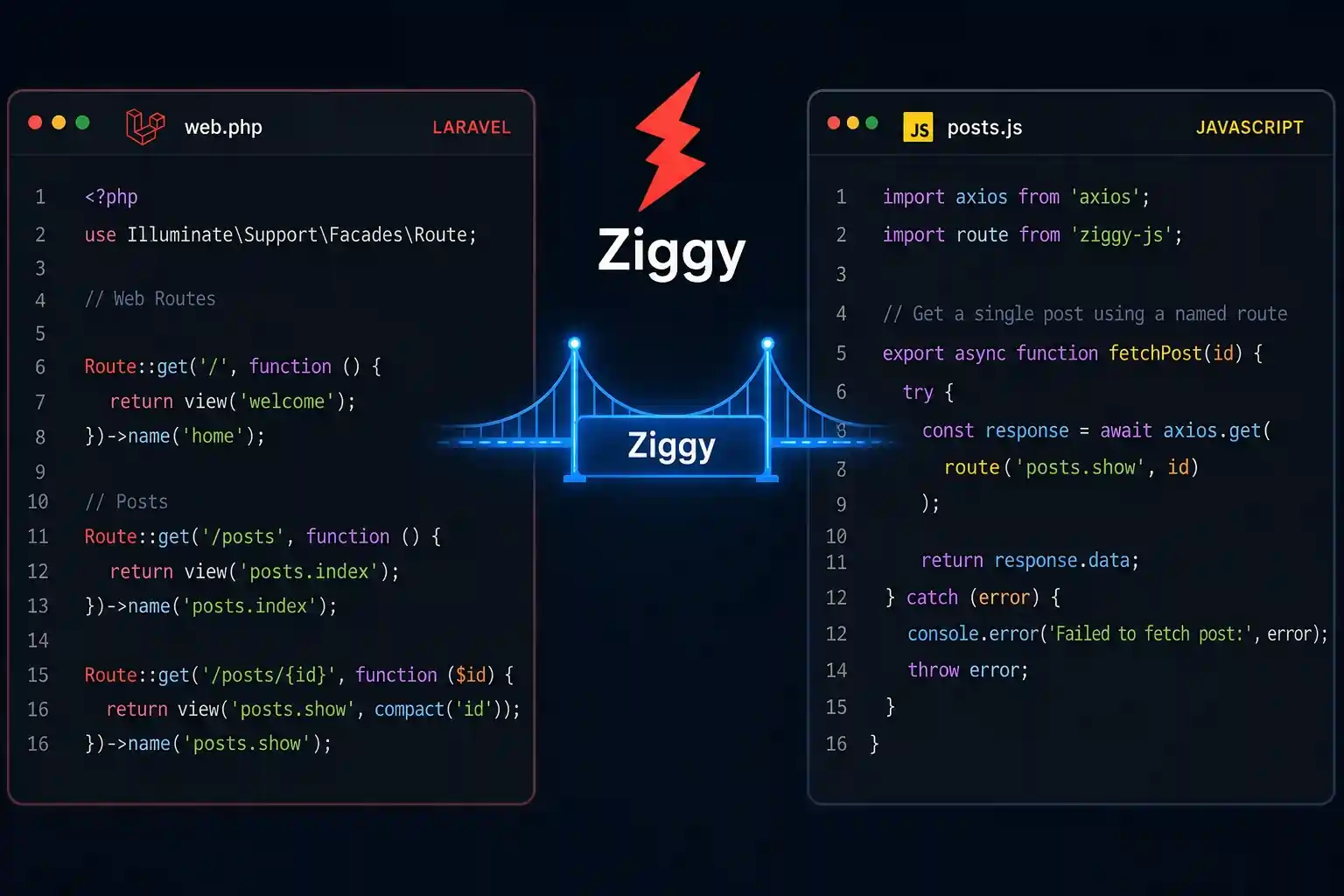
If you’ve been working with Laravel named routes in JavaScript, you already know the pain. You write a beautiful, clean Laravel backend — named routes everywhere, route('posts.show', $post->id) in your Blade templates — and then you jump to your JavaScript file and suddenly everything falls apart. You’re typing /api/posts/1 by hand. Again.
And when that route changes? You go hunting through every .js file hoping you haven’t missed one.
There’s a better way. It’s called Ziggy, and once you start using it, you’ll wonder how you ever shipped without it.
What Is Laravel Named Routes in JavaScript — And Why You Keep Getting It Wrong
Let’s be honest for a second. Most of us start a Laravel + JavaScript project with the best intentions. We name our routes properly in routes/web.php, we use route() in Blade like responsible adults, and then… we write JavaScript like it’s 2012.
Here’s what the typical JS file looks like on a real project:
// 😬 Please don't do this
axios.get('/api/posts/' + postId)
axios.post('/api/comments/store')
axios.delete('/users/' + userId + '/settings')This works. Until it doesn’t.
The moment someone moves a route into a prefixed group, or renames a parameter, or adds a version prefix to the API — your JavaScript breaks silently. No error from Laravel. No warning. Just a 404 that you’ll spend an hour debugging.
The reason we hardcode URLs in JavaScript is simple: we don’t have a way to access Laravel’s route definitions from the JS side. The route() helper is a PHP function. It lives on the server. Your JavaScript doesn’t know it exists.
That’s the problem Ziggy was built to solve.
Meet Ziggy — The Bridge Between Laravel Routes and Your JavaScript
Ziggy is an open-source package by Tighten — the same team behind tools like Pint, Takeout, and Lambo. The package was created because Tighten’s own developers got tired of hardcoded URLs in their client JavaScript.
Here’s the core idea:
Ziggy exposes all your Laravel named routes to JavaScript, and gives you a
route()helper function that works exactly like the PHP one.
That means this Blade code:
{{ route('posts.show', $post->id) }}Can now become this in your JavaScript:
route('posts.show', post.id)
// → 'https://yourapp.com/posts/42'Same API. Same mental model. No hardcoded strings.
Ziggy works by injecting a small JavaScript object into your HTML (via a Blade directive) that contains all your route definitions. Then the route() function uses that object to build URLs dynamically — on the client side, without any server round-trips.
It’s popular with teams using Laravel as a backend and Vue, React, or vanilla JS on the frontend. It also works seamlessly with Inertia.js.
Installing Ziggy — Step by Step
Let’s get your project set up. This assumes you have a standard Laravel app running.
Step 1: Install via Composer
composer require tightenco/ziggyThat’s the backend side sorted. Laravel will auto-discover the service provider, so you don’t need to manually register anything in config/app.php on modern Laravel versions.
Step 2: Add the @routes Directive to Your Blade Layout
Open your main layout file — usually resources/views/layouts/app.blade.php — and add the @routes directive before your app’s JavaScript:
<!DOCTYPE html>
<html>
<head>
    <title>My App</title>
</head>
<body>
    <!-- Your page content -->
    @yield('content')

    {{-- Add this BEFORE your app JS --}}
    @routes

    @vite(['resources/js/app.js'])
</body>
</html>This directive outputs a <script> tag that injects all your named routes as a JavaScript object. It’s what makes route() work in the browser.
Step 3: Use Ziggy’s route() in Your JavaScript
That’s literally it. Once you’ve done those two steps, the route() helper is available globally in your JavaScript files. No imports needed for basic Blade-based setups.
// resources/js/app.js or any JS file
console.log(route('home'))         // → 'https://yourapp.com/'
console.log(route('posts.index')) // → 'https://yourapp.com/posts'How route() Works — The Basics
The route() function in Ziggy mirrors Laravel’s PHP helper almost perfectly. Here’s what you need to know.
Simple Routes (No Parameters)
// PHP equivalent: route('home')
route('home')
// → 'https://yourapp.com/'

// PHP equivalent: route('posts.index')
route('posts.index')
// → 'https://yourapp.com/posts'Routes with Parameters
Pass parameters as the second argument. You can pass a single value, an array, or an object — just like in PHP.
// Your Laravel route:
// Route::get('/posts/{post}', ...)->name('posts.show');

route('posts.show', 1)
// → 'https://yourapp.com/posts/1'

route('posts.show', [1])
// → 'https://yourapp.com/posts/1'

route('posts.show', { post: 1 })
// → 'https://yourapp.com/posts/1'Multiple Parameters
// Route::get('/events/{event}/venues/{venue}', ...)->name('events.venues.show');

route('events.venues.show', [1, 2])
// → 'https://yourapp.com/events/1/venues/2'

route('events.venues.show', { event: 1, venue: 2 })
// → 'https://yourapp.com/events/1/venues/2'Query String Parameters
If you pass extra keys that aren’t in the route definition, Ziggy automatically appends them as query strings:
route('posts.index', { page: 2, sort: 'date' })
// → 'https://yourapp.com/posts?page=2&sort=date'This is really useful for filtering and pagination — things you’d normally construct with string concatenation.
Checking the Current Route
One thing that doesn’t exist in PHP’s route helper (because it doesn’t need to) is the ability to check what route you’re currently on. Ziggy adds this as a bonus.
// Are we on the posts.index route?
route().current('posts.index')
// → true or false

// What route are we currently on?
route().current()
// → 'posts.index'This is great for active nav link highlighting without server-side logic:
// Highlight nav links in vanilla JS
if (route().current('dashboard')) {
  document.querySelector('#nav-dashboard').classList.add('active')
}Route Model Binding — Ziggy Gets It
Here’s something that surprises most developers: Ziggy supports route model binding. If you pass a JavaScript object as a route parameter, Ziggy is smart enough to extract the right key from it.
// Your Laravel route uses route model binding:
// Route::get('/posts/{post}', ...)->name('posts.show');

const post = { id: 42, title: 'Hello World', slug: 'hello-world' }

route('posts.show', post)
// → 'https://yourapp.com/posts/42'
// Ziggy automatically uses the 'id' keyIf you’ve set a custom route key (via getRouteKeyName() in your model), Ziggy respects that too.
Real-World Example — Form Submission and Redirect in JavaScript
Let’s put everything together with a practical example. Imagine you have a form to create a new post, and after submission you want to redirect the user to the post’s show page.
Your Laravel routes:
// routes/web.php
Route::get('/posts', [PostController::class, 'index'])->name('posts.index');
Route::post('/posts', [PostController::class, 'store'])->name('posts.store');
Route::get('/posts/{post}', [PostController::class, 'show'])->name('posts.show');JavaScript (using Axios):
// resources/js/components/CreatePost.js

async function submitPost(formData) {
  try {
    // ✅ No hardcoded URL — using named route
    const response = await axios.post(route('posts.store'), formData)

    const newPost = response.data

    // ✅ Redirect to the new post using named route with ID
    window.location.href = route('posts.show', newPost.id)

  } catch (error) {
    console.error('Something went wrong:', error.response.data)
  }
}Vue component example:
<template>
  <form @submit.prevent="handleSubmit">
    <input v-model="form.title" placeholder="Post title" />
    <textarea v-model="form.body" placeholder="Write something..."></textarea>
    <button type="submit">Publish</button>
  </form>
</template>

<script>
import axios from 'axios'

export default {
  data() {
    return {
      form: {
        title: '',
        body: ''
      }
    }
  },
  methods: {
    async handleSubmit() {
      // ✅ Clean, named-route-based POST
      const response = await axios.post(route('posts.store'), this.form)

      // ✅ Redirect to the new post
      window.location.href = route('posts.show', response.data.id)
    }
  }
}
</script>No hardcoded URLs. No string concatenation. If you ever rename the route or change the URL structure, your JS code doesn’t need to change at all.
Using Ziggy with Vue and React
Ziggy ships with first-class support for both Vue and React.
Vue
Register the Ziggy plugin in your app.js:
import { createApp } from 'vue'
import { ZiggyVue } from '../../vendor/tightenco/ziggy'
import App from './App.vue'

createApp(App)
  .use(ZiggyVue)
.mount('#app')Now route() is available in every Vue component without importing anything:
<template>
  <a :href="route('posts.index')">All Posts</a>
</template>React
Use the useRoute hook:
import { useRoute } from 'ziggy-js'

export default function PostLink({ postId }) {
  const route = useRoute()

  return (
    <a href={route('posts.show', postId)}>
      View Post
    </a>
  )
}With Inertia.js
If you’re using Inertia.js, Ziggy is basically essential. The combo is extremely popular. You get server-side rendering benefits while keeping all your route references clean and centralized.
Filtering Routes (Keep It Secure)
By default, Ziggy exposes all your named routes to the frontend. That’s usually fine for full-stack apps, but you might not want admin routes visible in the HTML source of public pages.
You can filter routes in config/ziggy.php (publish the config first with php artisan vendor:publish):
// config/ziggy.php
return [
    'only' => ['home', 'posts.*', 'profile.*'],
    // OR
    'except' => ['admin.*', 'horizon.*'],
];You can also pass groups directly to the directive on specific pages:
@routes(['group' => 'public'])Important note from the docs: Hiding routes from Ziggy’s output is not a replacement for proper authentication and authorization. Always protect sensitive routes with middleware on the server side.
Non-Blade Setup — Generating a Routes File
If you’re not using Blade (maybe you’re building a fully decoupled SPA), Ziggy has you covered. Run:
php artisan ziggy:generateThis creates resources/js/ziggy.js with all your routes exported as a JavaScript module. You can then import it in your frontend project and pass it to the route() function manually.
You can also expose your Ziggy config as a JSON API endpoint:
// routes/api.php
use Tighten\Ziggy\Ziggy;

Route::get('/ziggy', fn () => response()->json(new Ziggy));This is useful for decoupled frontends that fetch config on load.
TypeScript Support
Ziggy also comes with TypeScript support. Run php artisan ziggy:generate --types to generate a TypeScript definition file. This gives you autocomplete for route names and parameters in your editor — which is an absolute game-changer when working on large Laravel apps.
// You'll get autocomplete for route names
route('posts.show', { post: 1 }) // ✅ Typed!
route('posts.typo', 1) // ❌ TypeScript will catch thisWhy Ziggy Over Just Using Axios With Hardcoded URLs?
Let me break it down plainly:
Hardcoded URLs:
- Break silently when routes change
- Scatter business logic across JS files
- Are a nightmare to refactor
- Require find-and-replace during route changes
Ziggy with named routes:
- Update automatically when routes change (just re-run
ziggy:generateif needed) - Keep your frontend code in sync with your backend
- Match the mental model you already have from Blade
- Work with route parameters, query strings, and model binding
The maintenance cost alone makes Ziggy worth it on any project bigger than a personal todo app.
Quick Reference Cheatsheet
// Basic route
route('home')
// → '/'
// Route with single param
route('posts.show', 1)
// → '/posts/1'
// Route with named param
route('posts.show', { post: 1 })
// → '/posts/1'
// Route with multiple params
route('events.venues.show', { event: 1, venue: 2 })
// → '/events/1/venues/2'
// Route with query string
route('posts.index', { page: 2, search: 'laravel' })
// → '/posts?page=2&search=laravel'
// Check current route
route().current('posts.*')
// → true if on any posts route
// Get current route name
route().current()
// → 'posts.index'Wrapping Up
Ziggy is one of those packages that feels obvious the moment you start using it. It fills a gap that almost every Laravel + JavaScript developer has hit: you want the safety and maintainability of named routes, but your JavaScript doesn’t know what Laravel routes even are.
With Ziggy, that gap disappears. Your route() helper works the same in PHP and in JavaScript. Route changes propagate automatically. Your codebase stays clean.
If you’re building anything with Laravel as a backend and JavaScript on the frontend — whether that’s Vue, React, Inertia, or even plain Axios calls — Ziggy deserves a spot in your project.
Check out the official repo here: https://github.com/tighten/ziggy
And the docs are at: https://tighten-ziggy.mintlify.app
Found this useful? Share it with your team. Beginners especially will thank you — this is one of those things that nobody teaches you but everyone eventually needs.
Leave a Reply